Clarifying identity verification across roles and regions
Separating account setup, document review, and permission to cash out.
Collectors, recycling businesses, and schools faced different combinations of phone verification, identity checks, wallet linking, and manual approval. The app presented these requirements as one large setup task.
I led the UX/UI redesign, separating what users could complete now, what was waiting for review, and what had to be verified before financial access.
At a glance
- Checklist shipped
- Account setup broken into clear tasks
- Review-aware
- Submitted IDs show a waiting state
- Access controlled
- Verification gates sensitive actions
Problem
Security checks were necessary; their status was unclear
The security risk was real: during an automated SMS attack, mobile-verification activity rose from 10 requests to 31,212 in a day. The team also needed to prevent fake schools from appearing legitimate or gaining financial access.
Legitimate users faced unreliable OTP delivery and unclear requirements. A submitted ID could still look like unfinished setup, leaving someone with no useful action but a prompt to continue.


 KYC: not usually a user-friendly experience, but a necessary evil when dealing with fraud and financial security.
The process
Put each check before the action it protects
I worked with the team to separate account creation, phone ownership, identity review, school legitimacy, and wallet setup. Each check needed a purpose and a point at which it became mandatory.
Some setup could wait until after registration. Requirements protecting financial actions stayed mandatory before those actions became available.

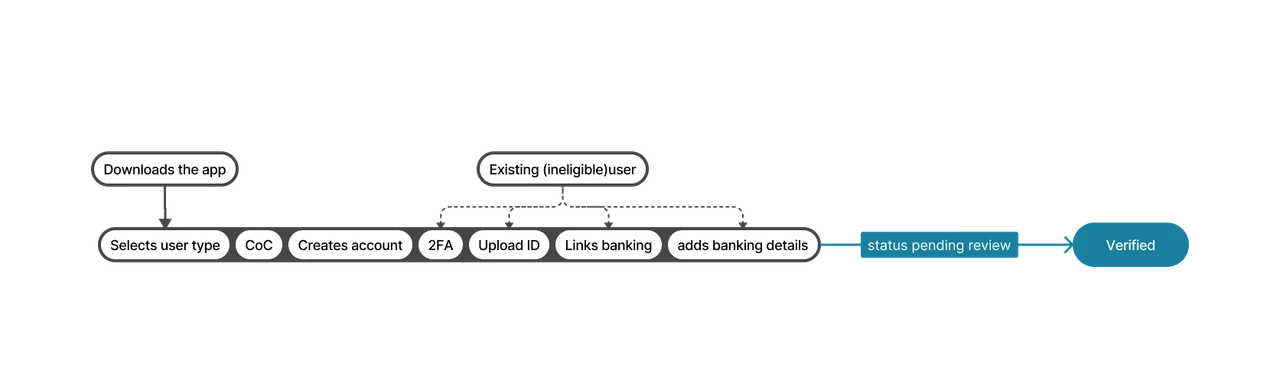 The verification process had a few steps…
The design
A submitted ID is not an unfinished task
I replaced the full-screen KYC treatment with an account-completion checklist. Users could see individual requirements and resume the tasks available to them.
For submitted documents, “Continue Setup” became a waiting state. Rejection required corrective action; approval removed the relevant restriction. Notifications told users when a review decision changed what they could do next.

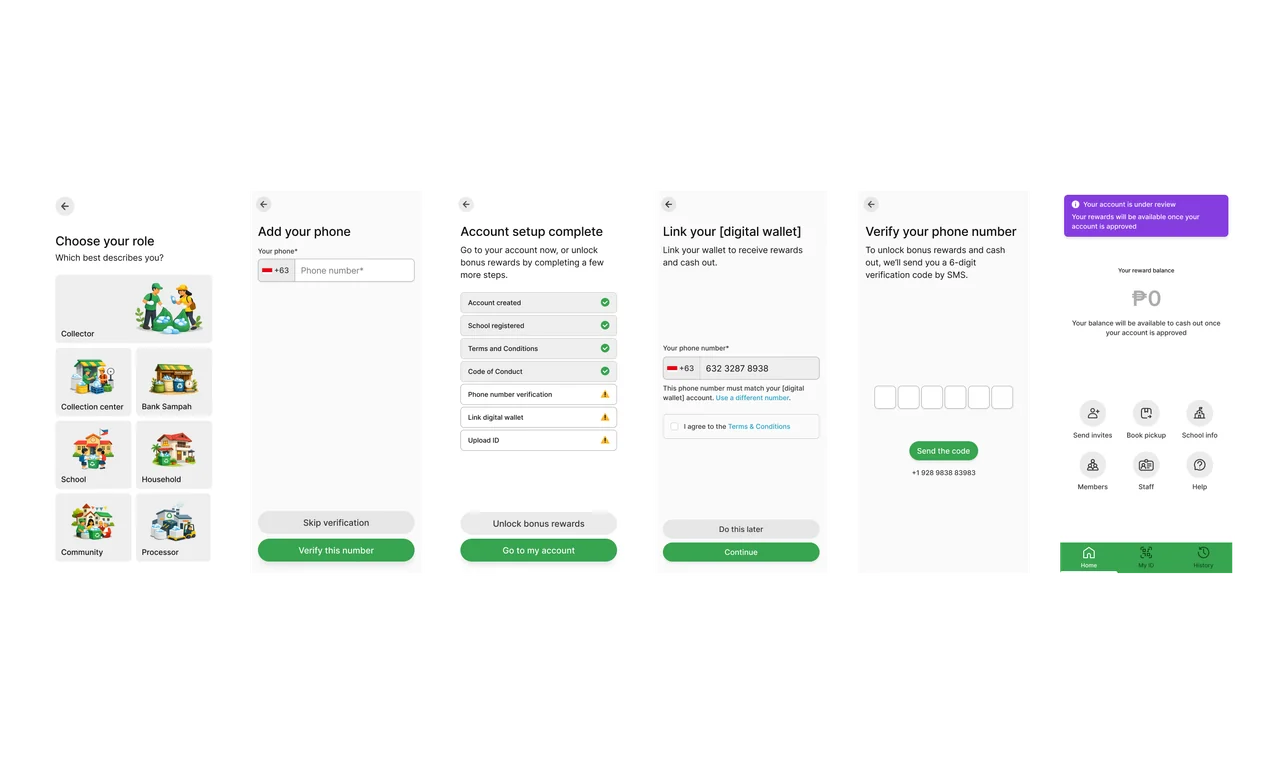 Separate tasks let users complete what was available and return when the next step was ready.
Use verification to control access
School and organization verification controlled visibility and access to sensitive capabilities. Suspicious schools could remain hidden during review, while cashout depended on the applicable mobile, wallet, and audit requirements.
This let account setup progress without treating registration alone as proof that a person or organization should receive financial access.

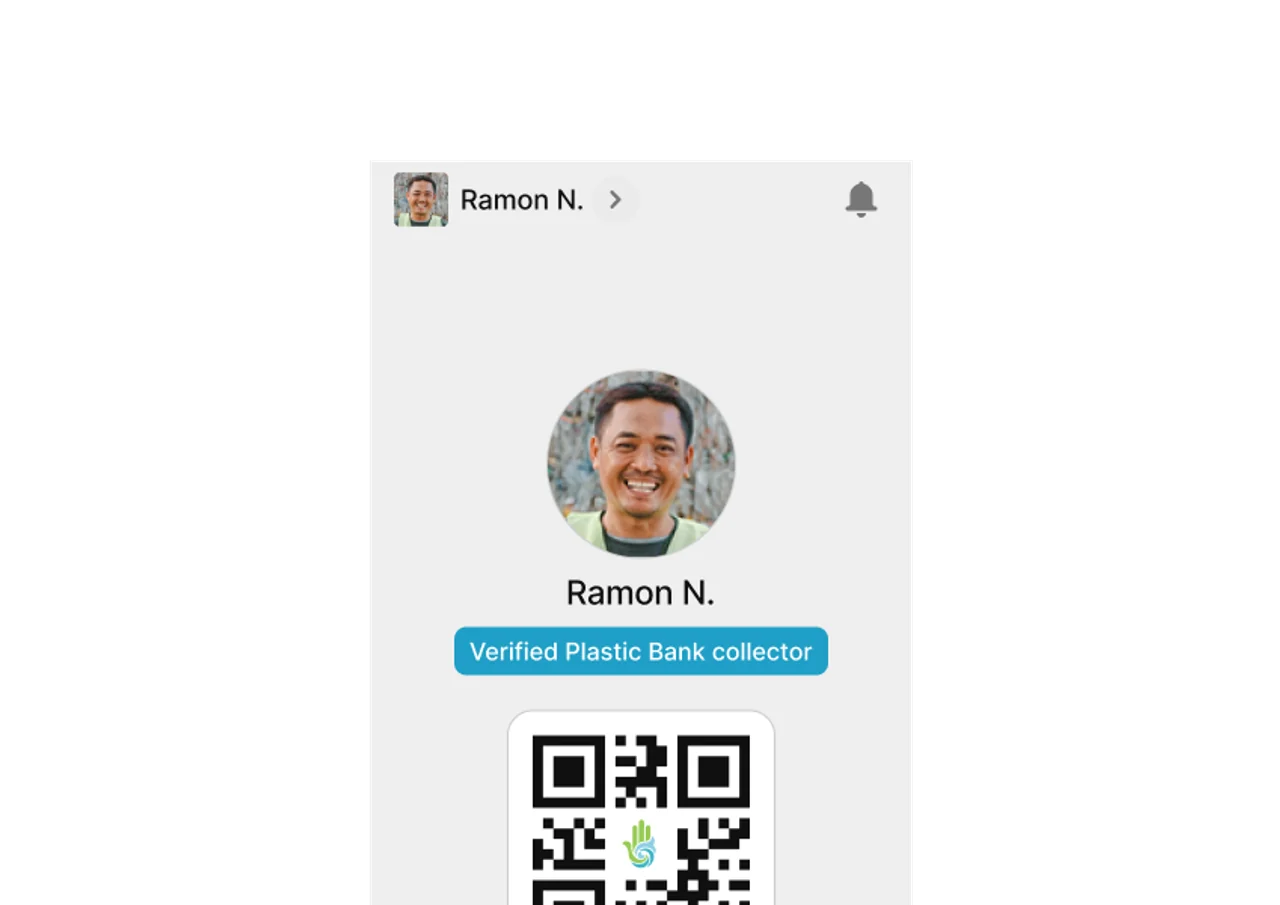 Verified status became a point of pride for collectors. Maybe the juice was worth the squeeze?
Outcome
The checklist and access model shipped
The checklist shipped with distinct action, review, rejection, and approval states, alongside notifications and verification-based access controls. Users could distinguish their next task from a review they needed to wait for.
Repeat-attempt and completion-rate improvements still need comparable release-level measurement.
